
Music Videos
Your music videos, with a channel that keeps playing.
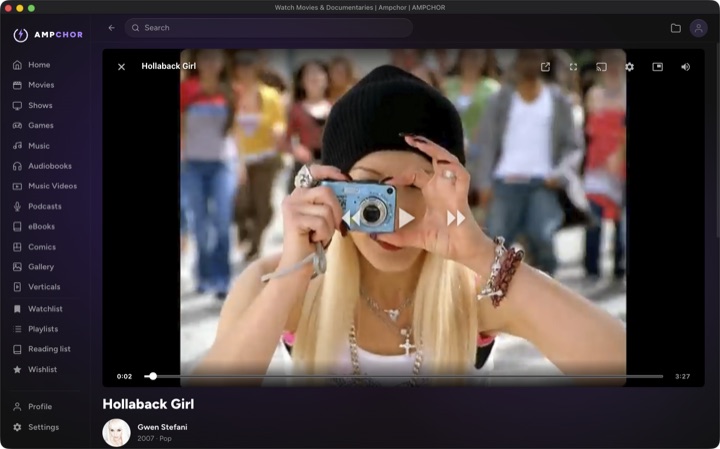
Music videos get a library of their own in Ampchor. Each one is matched to its artist and album, with artwork and details, the same way your music is, so browsing the collection feels like the rest of your library.
Put on the channel and it plays them back to back, a music TV station made from your own collection. No ads, no account, nothing to sign up for.
Watch on your computer, or on your phone, tablet and TV at home. Whatever formats your videos come in, they play the same way your movies do.
Get Ampchor Free at home.
What it plays
The same 30+ video formats as movies, including MP4, MKV, MOV, AVI, WebM, M4V and DVD and Blu-ray rips, with artist and album details.
Every library's formats, side by side: what Ampchor plays.
How it works in Ampchor
- 1Add the folder with your music videos.
- 2Each video is matched to its artist and album, with artwork and details.
- 3Play one, or start the channel and let it run, on your computer, phone, tablet or TV at home.
- 4With Ampchor Pro, your music videos stream to your phone away from home too.
Get Ampchor Free at home. Mac, Windows and Linux.
More libraries
Movies
Posters, artwork and details, found for you.
TV Shows & Anime
Seasons and episodes, organized automatically. Anime can live in its own library.
Retro Games
Play right inside Ampchor, on any screen.
Music
Albums, artists and lossless playback.
Audiobooks
Chapters, bookmarks and adjustable speed.
Podcasts
Your own episodes, kept in seasons, with your place remembered.
eBooks
EPUB and PDF, with your place always kept.
Comics & Manga
CBZ, CB7 and CBT, crisp page by page.
Gallery
Your camera roll’s forever home.
Verticals
Short vertical videos in a swipe feed, the ones you saved, ad-free.